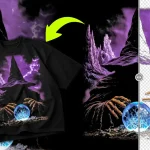
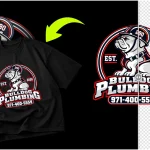
You know that sinking feeling when you’ve just received a fresh batch of t-shirts, snapped a few quick photos with your phone, and uploaded them to your store, only to hear… crickets. No clicks, no sales, just tumbleweeds. The culprit isn’t your design – it’s the presentation. In a digital shopping world where customers can’t touch, try on, or even see the true drape of a fabric, the images you choose are your product. A 2023 survey by Salsify found that 73% of consumers are more likely to purchase an item if they can view high-quality images or videos, and apparel is one of the most visually scrutinized categories online. This is exactly where mockup generators step in to transform a flat vector file into a lifestyle image that feels so real, shoppers instinctively reach for their wallets.
I’ve spent years testing (and occasionally wrestling with) just about every mockup generators platform on the market, from the freebie tools that churn out passable tees to the pro-grade suites that let you finesse every wrinkle and shadow. This guide isn’t a dry list of features. It’s a deep dive born from real late-night design sessions, abandoned shopping carts revived by better visuals, and the lesson that the right mockup tool can be the difference between a “maybe later” and a “buy now.” Whether you’re a solo streetwear label, a print-on-demand entrepreneur, or an established clothing brand refreshing your seasonal lookbook, you’ll find a path here that matches your budget, skill level, and creative ambition.
Why Clothing Brands Can’t Afford to Skip Mockup Generators
A decade ago, a new fashion line meant renting a studio, hiring a photographer, booking models, and spending thousands before the first piece even sold. Today, a solopreneur with a laptop and a smart mockup tool can compete visually with household names. That shift isn’t just about saving money – it’s about speed, scalability, and the ability to test dozens of colorways without printing a single sample.
Mockup generators are online platforms (or downloadable software) that let you place your artwork onto realistic product templates – think t-shirts, hoodies, caps, tote bags, and sneakers – using smart object layers or AI-driven mapping. The output is a photorealistic image you can use on your Shopify store, Etsy listing, Instagram feed, or even a pitch deck for retail buyers.
The numbers back up the visual-first reality of apparel ecommerce. Research published by eMarketer indicates that apparel and accessories will account for over $200 billion in U.S. retail ecommerce sales in 2026, and a massive portion of those purchases begin with a visual discovery. When you can’t let customers feel the fabric, a lifelike mockup that shows texture, fit, and context becomes your silent salesperson. It answers the unspoken questions: How does the shirt fall on a body? Is the print placement centered? Will the hoodie look good with jeans?
Beyond the sales psychology, mockup generators solve three concrete problems:
- Cost reduction: Eliminate the endless cycle of sample production and photoshoots for every new design variant.
- Creative agility: Test a neon green variant on a black hoodie at 2 a.m., and have an image ready for Instagram Stories by 2:10.
- Brand consistency: Apply a cohesive look, lighting style, and model aesthetic across your entire catalog, building a recognizable visual identity.
I recall launching my first print-on-demand apparel collection in 2019. I spent a small fortune on sample prints only to realize the photos I took in my apartment looked, well, exactly like photos taken in an apartment. Switching to a dedicated mockup generators workflow didn’t just elevate the perceived value of my shirts – it cut my pre-launch costs by 80% and let me list 30 products in a single weekend. That’s the power of a tool that bridges the gap between a raw idea and a purchase-ready image.
What to Look for in a Clothing Mockup Generator
Not all mockup tools are built alike. Some are laser-focused on apparel, while others try to be an everything-store for digital renders. Before diving into the list, let’s unpack the criteria that actually matter when you’re running a clothing brand, not just playing with software.
1. Apparel Template Variety and Quality
A platform might boast 10,000 templates, but if only three are hoodies and none include a back view, it’s useless for a streetwear brand. Look for a robust range of garments (unisex t-shirts, oversized fits, crop tops, joggers, denim jackets, kids’ wear, activewear) as well as multiple angles (front, back, side, close-up on fabric texture). The best generators use physically-based rendering that captures how light interacts with thread, folds, and subtle fabric sheens. The difference between a “stiff digital sticker” look and a true-to-life photo often comes down to the template’s mesh quality.
2. Smart Object and Layer Control
The smoother the integration with your design files, the faster your workflow. Tools that support layered PSD or vector AI/EPS files, or offer a web-based smart object system where you simply drop your art and watch it conform to wrinkles and curves, save you hours of manual distortion. Pro-level control should let you adjust blend modes (multiply for vintage tees, screen for bright prints), opacity, and even add effects like distressed wear.
3. Customization Depth
Can you change the model’s skin tone, pose, or swap in your own background? The ability to shift a hoodie from a clean studio backdrop to an urban alleyway or a sunny coffee shop adds context that resonates with your target audience. Background removal, color overlays on the garment itself, and the option to upload your own environment images turn a generic mockup into a branded scene. Some tools now integrate generative AI backgrounds, which is a game changer for rapid A/B testing.
4. Video and 3D Capability
Static images are essential, but a 360-degree spin or a short video clip of a model wearing your design can boost conversion rates by up to 40%, as noted in some Shopify merchant case studies. If you’re eyeing TikTok and Instagram Reels dominance, prioritize a mockup generator that outputs animated mockups or allows you to export turntable videos without a stitch of video editing knowledge.
5. Licensing and Commercial Use
This one is easy to overlook in the excitement of a free tool. Always check that the generated mockups are cleared for commercial use, especially if you’re selling on marketplaces or running ads. Some free platforms restrict usage to personal projects only, or require attribution. The last thing you need is a copyright notice landing in your inbox because you unknowingly used a template with a limited license.
The Best Mockup Generators for Clothing Brands in 2026
After testing dozens of platforms – from browser-based wizards to robust downloadable libraries – I’ve organized the top mockup generators into a comparison table and detailed breakdown. This list reflects the reality of 2026’s landscape, including the rise of AI-driven rendering and deeper integration with print-on-demand ecosystems.
Quick Comparison: Top Mockup Generators at a Glance
| Mockup Generator | Best For | Pricing Model | Video/3D Output | Standout Feature |
|---|---|---|---|---|
| Placeit by Envato | Beginners, wide apparel variety | Subscription ($9.99/mo) or per-image | Yes, animated mockups | Largest template library with video |
| Smartmockups (Canva) | Canva users, quick drag-and-drop | Free tier, Pro from $7.50/mo | No built-in video | Seamless Canva integration |
| Printful Mockup Generator | Print-on-demand sellers | Free with Printful account | No | Instant generation linked to fulfillment |
| Printify Mockup Generator | Multi-vendor POD brands | Free | No | Real-time preview across multiple print providers |
| Mockey | Free, high-quality apparel + 3D | Free (unlimited downloads) | Yes, 360° turntable | Completely free with no watermark |
| Yellow Images | Premium, editorial-grade mockups | Pay-per-item ($2–$20) | Some 3D | Photorealistic, high-fashion aesthetic |
| Creative Market | Unique, indie-created templates | Pay-per-item | Limited | Diverse styles from independent designers |
| Kittl | Graphic-heavy, vintage/retro looks | Free tier, Pro from $10/mo | No | Integrated text effects and vector editor |
| Freepik | Massive library for inspiration | Subscription (around $12/mo) | No | AI-powered search and PSD downloads |
| Adobe Substance 3D Stager | Advanced 3D staging for pros | Part of Substance subscription ($19.99/mo) | Yes, full 3D rendering | True 3D apparel staging with custom lighting |
Prices and features are accurate as of 2026, but always check the provider’s official site for the latest plans.
1. Placeit by Envato – The All-in-One Powerhouse for Beginners and Pros
If you’ve ever Googled “t-shirt mockup,” Placeit likely dominated the first page of results. Acquired by Envato, it has ballooned into one of the most comprehensive mockup generators on the web, with a staggering library that spans everything from a basic cotton tee to a model wearing a snow jacket in a ski resort. I’ve used Placeit for rapid-fire client work where we needed to present 20 hoodie colorways in a single afternoon, and the platform’s real-time preview feature made the process almost embarrassingly fast.
What makes Placeit a staple for clothing brands is its sheer breadth of apparel templates. You can filter by garment type (including kids’ sizes), model gender, ethnicity, and even the angle – flat lay, hanger, or on-body. The animated mockups deserve a special shout-out. In under two minutes, you can produce a high-resolution video loop of a model turning, a shirt billowing in the wind, or a close-up pan across the fabric. For Instagram Reels and TikTok ads, these are pure gold.
The downside? Customization depth can feel a bit shallow for design snobs. You can change the t-shirt color, drop in your graphic, and move it around, but you won’t get a Photoshop-level adjustment for blend modes or distress textures directly in the browser. The subscription model ($9.99/month for unlimited downloads) is reasonable if you launch new products regularly. If you only need a handful of mockups, you can purchase individual images for a few bucks each.
Ideal for: New apparel brands, social media managers needing video mockups fast, and anyone who wants a “one-stop shop” without dabbling in advanced design software. Explore Placeit’s full clothing library here.
2. Smartmockups – The Canva-Integrated Time-Saver
When Canva acquired Smartmockups (now often referred to as Canva Mockups), the app became instantly accessible to over 150 million monthly users. If your entire design ecosystem already lives inside Canva – and for many clothing brand owners juggling social graphics, logo design, and product pages, it does – this is a frictionless addition. You can take a design straight from your Canva artboard, apply it to a hoodie, tank top, or tote bag, and have a ready-to-publish image without ever leaving the tab.
The clothing template selection has grown impressively. You’ll find everything from sportswear and baby onesies to athleisure sets. The rendering engine handles folds and shadows cleanly, though it tends to produce a slightly “cleaner” and more digital look compared to the grit of some premium libraries. One feature I appreciate is the smart object layer system: once you place your design, the system remembers it if you switch to a different model or pose, which saves a ton of re-uploading during variant testing.
Keep in mind that video mockups aren’t available yet, so if you need that spinning hoodie clip, Placeit or Mockey still hold the edge. The free tier gives you a limited selection of mockups, while the Pro plan (bundled with Canva Pro) unlocks the full range. For a clothing brand already paying for Canva Pro to handle marketing collateral, this is a zero-additional-cost bonus.
Ideal for: Canva-centric clothing brands, educators creating merchandise, and anyone who values speed of execution over granular photo-realism. Try Smartmockups directly on Canva.
3. Printful Mockup Generator – Seamless Print-on-Demand Integration
If you run a print-on-demand store, having mockups that perfectly mirror the final product isn’t just nice – it’s essential for avoiding customer complaints about print size or placement. Printful’s free mockup generator is baked directly into its fulfillment dashboard. The moment you create a product and upload your design, it auto-generates realistic mockups across multiple color variants, including close-ups of the print area.
I’ve relied on Printful’s mockups for years because they use actual 3D renders of their blank garments (from brands like Gildan, Bella+Canvas, and Next Level). That means the sweatshirt drapes exactly as it will when your customer unpacks it. The images are royalty-free and approved for commercial use, so you can confidently slap them on Amazon, eBay, or your own store. You can also download them in a range of formats, including a high-res PNG with a transparent background for custom scene compositing.
The drawback is creative control. You’re locked into Printful’s preset models, backgrounds, and angles. If you want a tropical backdrop or a punk-rock aesthetic, you’ll need to take the base mockup into another tool for background replacement. Still, for a POD brand that values accuracy above all else, this is an indispensable, zero-cost asset.
Ideal for: Printful users, Etsy sellers, and any brand that wants product photos that are 100% faithful to the shipped item. Generate your mockups on Printful.
4. Printify Mockup Generator – Flexibility Across a Global Print Network
Printify’s approach differs from Printful in that it doesn’t own its own fulfillment centers. Instead, it aggregates print providers worldwide, each with their own garment blanks, printing techniques, and – you guessed it – mockup styles. The Printify mockup generator gives you a real-time preview of how your design will look on each provider’s specific shirt. This is huge if you split test between, say, a premium DTG printer in the U.S. and a budget-friendly one in Europe.
The interface lets you swap between providers instantly and see how the same design translates onto a Gildan 5000 versus a Bella+Canvas 3001. You can adjust scale, rotation, and placement, and the generator saves every variant automatically. The final mockups are clean and professional, though they lean slightly toward a catalog-style look rather than an editorial fashion shoot vibe.
One limitation that occasionally frustrates me is the lack of on-model lifestyle options for some less common garments. You might get a flat lay and a ghost mannequin shot but no human model. Nonetheless, for the price of $0, it’s a cornerstone tool for any brand managing a multi-provider POD strategy.
Ideal for: Printify merchants, brands that A/B test print providers, and anyone who needs bulk mockups across a diverse apparel catalog. Start creating with Printify’s mockup tool.
5. Mockey – The Completely Free, Surprisingly Good Disruptor
When I first stumbled upon Mockey, I was skeptical. A completely free mockup generators platform with no watermark, unlimited downloads, and a fresh 2025-era interface? There had to be a catch. I put it through its paces, generating over 50 apparel mockups across different categories, and the quality genuinely surprised me. Mockey has invested heavily in its 3D rendering pipeline, and it shows. T-shirts convincingly wrap around torsos, hoodie strings cast natural shadows, and the color palettes are on-trend.
The apparel section covers hoodies, sweatshirts, t-shirts, tank tops, crop tops, polos, and even some accessories like caps and tote bags. A standout feature is the 360° turntable video export. You can create a seamless rotating view of your product – perfect for product pages that want to offer an interactive “see it from all angles” experience. Mockey also offers AI-powered scene generation, where you can describe a backdrop (“sunset city rooftop”) and the tool creates it, placing your mockup into the generated environment.
The trade-off? The template library, while high-quality, isn’t as vast as Placeit’s, and some niche apparel items like embroidered hats or denim jackets are still sparse. But for a free tool that you can use for commercial purposes without jumping through hoops, Mockey is a no-brainer addition to any clothing brand’s toolkit.
Ideal for: Bootstrapped startups, students launching a clothing line, and social media creators who need quick, on-trend mockups without spending a dime. Visit Mockey and start mocking up.
6. Yellow Images – For the Premium, High-Fashion Edge
Sometimes you need a mockup that looks like it belongs in Vogue, not just on a product grid. Yellow Images (formerly Yellow Images Creative Store) specializes in ultra-premium, photorealistic mockups created by a global community of 3D artists. I dip into Yellow Images when a client wants that editorial “lookbook” feel – dramatic lighting, unconventional model poses, exaggerated fabric flow, and rich textures like velvet, leather, or satin.
These aren’t your drag-and-drop web generators. Most are downloadable PSD files with smart object layers, meaning you’ll need some basic Photoshop or Photopea knowledge to insert your design and tweak lighting effects. The level of detail is staggering. A single hoodie mockup might include 15 layers for highlights, shadows, thread embroidery, and interchangeable backgrounds. Prices range from about $2 for a basic template to $20+ for a complete scene, but you’re paying for artwork that can elevate your entire brand perception overnight.
For clothing brands that position themselves in the luxury or streetwear premium segment, investing in Yellow Images mockups on a per-collection basis yields a visual identity that free tools can’t replicate. The commercial license is clear and broad, allowing you to use the mockups across packaging, web, and advertising.
Ideal for: High-end apparel brands, designers building a portfolio, and anyone who needs magazine-quality imagery and knows their way around Photoshop. Browse Yellow Images’ apparel collection.
7. Creative Market – The Indie Designer’s Treasure Trove
Creative Market isn’t a dedicated mockup generator – it’s a marketplace for design assets, but its apparel mockup category deserves a spot on this list. The platform hosts thousands of mockup packs from independent creators, offering styles you simply won’t find on mainstream subscription sites. I’ve discovered incredible hand-drawn style mockups, vintage photo overlays, and inclusive model sets that feature a wide range of body types and skin tones, curated by artists who understand representation matters in fashion.
Purchasing is a la carte, with packs typically costing between $5 and $30. You get a bundle of high-resolution PSDs, often with multiple views and color variations. The “weekly free goods” section sometimes features apparel mockups, which is a nice way to test the waters. The downside is that there’s no unified interface; you download and work offline, which requires some design software literacy. But for a clothing brand that has a very specific artistic vision – say, a bohemian brand needing macramé-backdrop mockups – Creative Market is an absolute goldmine.
Ideal for: Creative directors, brands with a distinct aesthetic, and designers who want to support independent artists while getting unique visual assets. Explore clothing mockups on Creative Market.
8. Kittl – Where Graphic Design Meets Apparel Mockups
Kittl started as a graphic design platform focused on typography and vector art but has rapidly evolved into a compelling mockup generators space for clothing brands that lean heavily on graphic elements – think band merch, retro illustrations, and bold streetwear logos. The integration is what sets it apart: you can design your entire graphic from scratch using Kittl’s powerful vector and text effect tools, and then instantly apply it to a t-shirt, hoodie, or cap mockup within the same project.
The mockup rendering quality is solid, with natural fabric folds and lighting. However, the template selection is still modest compared to dedicated mockup platforms, and there are currently no video or 3D rotation capabilities. Where Kittl shines is in the seamless “design-to-mockup” pipeline. If you’ve ever found yourself jumping between Illustrator and a mockup tool, constantly re-exporting and tweaking, Kittl’s all-in-one environment will feel like a revelation. Their vintage texture and distressed effects, when dropped into a mockup, look genuinely like a well-loved band tee.
Pricing starts with a free tier that includes watermarked mockups; the Pro plan (around $10/month) unlocks commercial use and high-res downloads. If your clothing brand’s identity revolves around intricate graphics rather than solid-color fashion pieces, Kittl might replace two separate tools in your workflow.
Ideal for: Graphic-heavy streetwear, band merch creators, and designers who want a unified vector + mockup environment. Check out Kittl’s features.
9. Freepik – The Massive Library with AI-Powered Search
Freepik (which now owns Flaticon and Videvo) has morphed into a colossal repository of PSD mockups, vectors, and stock photos. Its subscription model grants access to millions of assets, including a rapidly expanding apparel mockup category. While Freepik isn’t a generator in the traditional sense – you download templates and edit them offline – its new AI-powered search and “online editor” blur the line. You can sometimes make basic text and color edits right in the browser before downloading.
The sheer volume means you’ll find mockups for obscure items like hi-vis workwear or baby rompers that other platforms ignore. Quality varies, as uploads come from a broad contributor base, but the “premium” tier filters out the noise and delivers consistently professional results. The subscription (around $12/month) is a steal if you also need presentation templates, social media graphics, and icons – essentially a full creative Swiss Army knife.
A small caution: always double-check the license type on individual mockups. The vast majority are cleared for commercial use, but some free assets might require attribution. Freepik makes this transparent with clear labels, but it’s a good habit to verify.
Ideal for: Brands that need a vast, one-subscription library of mockups and other design resources, and those comfortable with basic Photoshop/Photopea editing. Search for apparel mockups on Freepik.
10. Adobe Substance 3D Stager – The Pro’s 3D Playground
For clothing brands that have graduated from 2D mockups and want full control over lighting, environment, and camera angles, Adobe Substance 3D Stager is the nuclear option. It’s not a plug-and-play mockup generators in the web-app sense; it’s a professional 3D staging tool where you import your own garment models, set up studio lighting rigs, apply physically accurate materials, and render photorealistic stills or turntable videos. With the Substance ecosystem, you can even create custom fabric textures that react to light like real cotton, silk, or nylon.
The learning curve is steep, and the subscription cost ($19.99/month as part of the Substance 3D Collection) puts it in a different league. However, I’ve seen small premium fashion labels produce product images that rival multi-thousand-dollar photoshoots using Stager. One brand I worked with created a full 3D lookbook featuring their hiking apparel in a synthetic mountain environment, complete with mist and dramatic sunrise lighting – a setup that would have been logistically impossible and prohibitively expensive to shoot physically.
Unless you’re already deep into 3D design, this tool is overkill for basic tee mockups. But for brands innovating with virtual showrooms, AR try-ons, or ultra-custom lifestyle photography, Stager is the definitive choice. It’s a glimpse into where apparel visualization is inevitably headed.
Ideal for: Professional 3D artists, high-budget brands seeking total creative control, and companies experimenting with virtual fashion and AR commerce. Learn more about Substance 3D Stager.
How to Choose the Right Mockup Generator for Your Brand
With ten strong options on the table, the decision can feel paralyzing. I’ve mapped out a few practical pathways based on where you are in your clothing brand journey.
- The POD starter (budget $0): Start with Printful or Printify’s free tools for accurate product shots, then layer in Mockey for lifestyle and video content. You’ll build a professional catalog without spending a cent.
- The solo streetwear hustler (budget <$15/month): A Placeit or Canva Pro (Smartmockups) subscription will give you endless apparel templates, video mockups, and the graphic design tools to make promotional material. It’s the fastest route from idea to Instagram post.
- The design-savvy creative (comfortable with Photoshop): Build a personal library from Yellow Images and Creative Market, focusing on quality over quantity. For each collection, purchase a small set of exquisite mockups that define your seasonal aesthetic.
- The high-volume store (100+ SKUs): Invest in a Freepik subscription or batch-buying on Creative Market to create a massive, consistent library of mockups. Pair it with Kittl if your graphics need tight integration.
- The visionary brand (innovating with virtual fashion): You already know Adobe Substance is your path. The time investment in learning 3D staging will pay dividends when you can produce infinite variations of a product in any conceivable environment.
A quick workflow tip I’ve honed: even if you settle on a primary tool, keep a secondary mockup generators in your back pocket for fresh angles. I often use Printful for the “hero” product image, Placeit for the social video, and a Yellow Images PSD for the homepage banner. Layering these sources prevents your feed from looking like it came out of the same template machine.
Beyond the Tool: Maximizing Your Mockup Impact
A great mockup is only as good as the strategy behind it. Here are four insights that separate high-converting apparel visuals from the generic pack.
1. Tell a Story with Environment
A t-shirt floating in a white void communicates “this is a product.” That same t-shirt worn by a laughing friend group at a picnic communicates “this is a lifestyle you want.” Use the background customization features (or post-edit the image) to drop your mockup into a context that mirrors your customer’s aspirations. A cottagecore dress belongs in a sun-drenched field, not a dark studio.
2. Consistency Builds Brand Recall
Pick a mockup style and stick with it across collections. If your models are faceless and cropped at the chin, keep it that way. If you use warm, golden-hour lighting, don’t suddenly switch to cool blue tones. This consistency trains shoppers to recognize your brand instantly as they scroll.
3. Use Video Mockups Liberally on Social
The organic reach of a video post on Instagram is often double that of a static image. A 5-second loop of a hoodie model spinning or a close-up of fabric texture can stop a thumb mid-scroll. Tools like Placeit and Mockey make these so easy to generate that there’s no excuse not to pepper them into your content calendar.
4. Blend Generated Mockups with Real Photos
For the strongest trust signal, mix in a few authentic, customer-sourced photos alongside your generated mockups. Social proof and user-generated content (UGC) act as a reality anchor. The message you send is: “Our product looks this good, and here’s proof from real people.”
The Future of Apparel Mockup Generators
The speed of evolution in this space is dizzying. Generative AI is already seeping into every major platform, allowing you to type “leather jacket on a neon-lit city street” and receive a composed mockup in seconds. We’re also seeing the rise of AI fashion models – diverse, photorealistic human avatars that never demand a modeling fee. Tools like Lalaland.ai and similar startups let you map your garment onto an AI model of virtually any size, ethnicity, or pose, and I expect the big mockup generators to either acquire or build this capability natively within the next year.
Augmented reality (AR) is another frontier. Imagine a customer tapping a button on your Shopify store that instantly overlays your shirt onto a live video of them. Shopify AR already supports 3D models, and as mockup tools begin exporting web-ready GLB or USDZ files, your product page could transform from a flat image into an interactive try-on experience.
The message is clear: if you’re still using outdated, flat product photos, you’re leaving money on the table. The tools to create rich, emotive, and conversion-optimized apparel visuals exist today, at nearly every price point.
Where to Go From Here
Choosing the right mockup generators is an investment in your brand’s perceived value. It tells your customer, silently but powerfully, that you care about how your product is presented – that you’ve thought about the details, the fit, and the feeling your clothing will create. And in a market where attention spans are shorter than a TikTok loop, that perception can be the thing that earns the click, the cart addition, and the repeat purchase.
If you’re ready to elevate your apparel visuals but feel overwhelmed by the choices, you don’t have to navigate it alone. At NixGlow Studio, we specialize in crafting cohesive visual identities for clothing brands, from custom high-end mockups to full e-commerce design packages. We’ll help you implement a mockup workflow that’s efficient, on-brand, and built to convert.
For daily inspiration, behind-the-scenes design tips, and a peek at what’s working in apparel branding right now, join our creative community on Instagram and subscribe to our YouTube channel. We share actionable tutorials, mockup tool comparisons, and real case studies of clothing brands that are crushing it visually.
Which mockup tool are you most excited to try? Drop a comment below with your clothing brand’s style, and I’ll personally recommend the best starting point. Let’s turn those flat vectors into pieces your customers can’t wait to wear.